









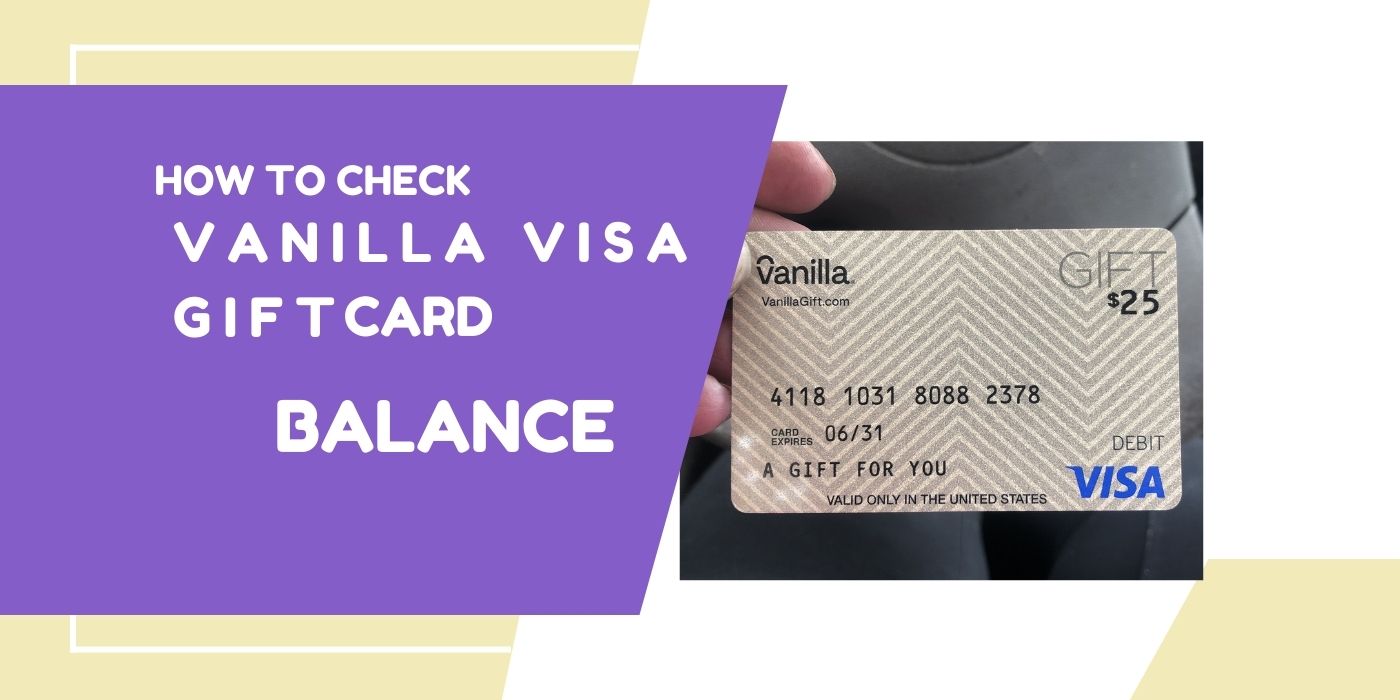
Have you recently received a Vanilla gift card, and you are wondering how much is left on it? You’re in the right place! A Vanilla gift card is a prepaid Visa card accepted virtually anywhere debit cards are accepted online, in-store, and over the phone.
Whether you’re shopping for groceries, paying for gas, or buying gifts for loved ones, keeping track of your Vanilla gift card balance ensures you never get caught short at checkout. In this guide, we’ll walk you through 3 simple methods to check your Vanilla gift card balance online, by phone, and in-store.
What Is a Vanilla Gift Card?
A Vanilla gift card is a prepaid card that works anywhere Visa or Mastercard debit cards are accepted. It’s perfect for online shopping, in-store purchases, and even gifting. With no bank account required, it’s one of the most convenient and secure ways to manage spending. However, like any prepaid card, keeping an eye on your remaining balance is essential to avoid declined transactions.
How to Check Your Vanilla Gift Card Balance (3 Methods)
Method 1 – Check Vanilla Gift Card Balance Online
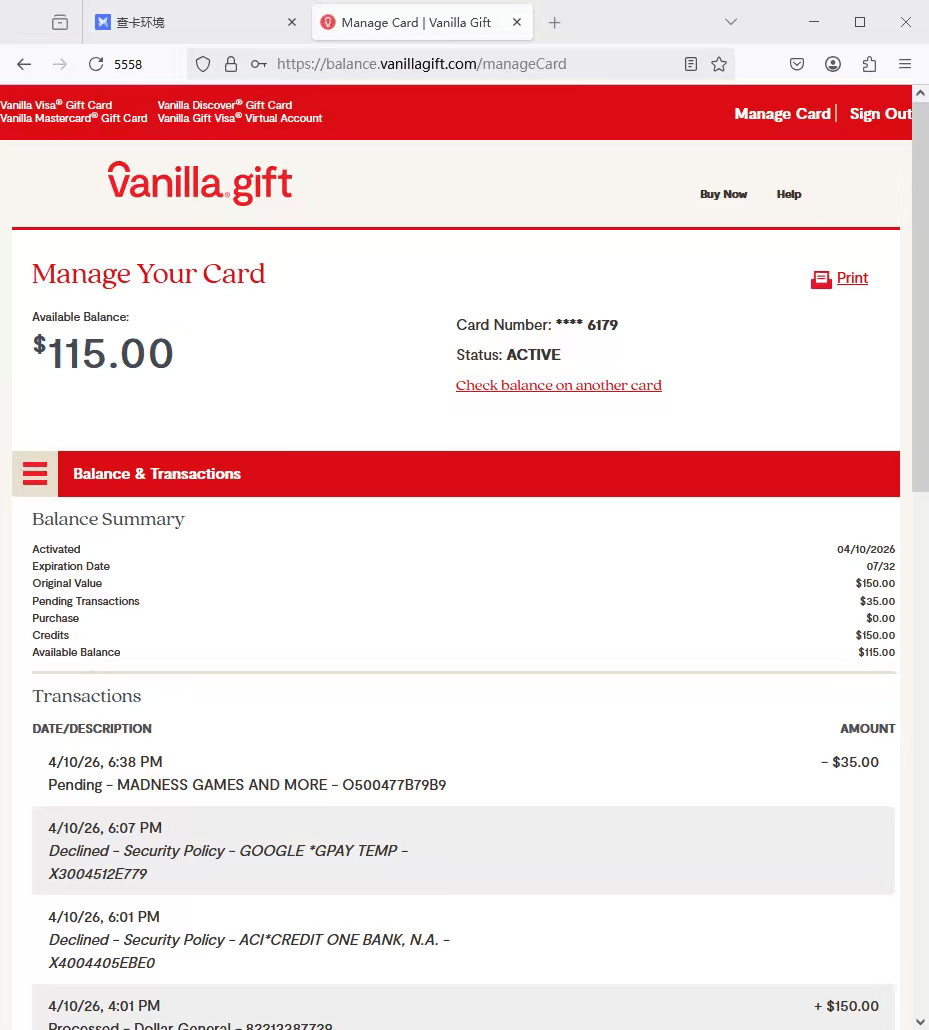
The fastest and most convenient way to check your Vanilla gift card balance is online. Here’s how:
- Visit the official Vanilla Gift Card website at vanillagift.com
- Click on the “Check Balance” button on the homepage
- Enter your card number, expiration date, and CVV (3-digit security code on the back)
- Click “Continue” to view your remaining balance
- You can also view your full transaction history to track your spending
✅ Pro Tip: Bookmarking the balance check page saves you time every visit.
Method 2 – Check Vanilla Gift Card Balance by Phone
Prefer checking by phone? No problem! Here’s how to check your Vanilla gift card balance number by phone:
- Flip your card over and locate the customer service number on the back
- Call the toll-free number (1-833-322-6760)
- Follow the automated prompts and enter your card number, expiration date, and CVV when requested
- The system will instantly read out your remaining balance
✅ Pro Tip: Have your card ready before calling to speed up the process.
Method 3 – Check Vanilla Gift Card Balance In-Store
Prefer to check in person? You can visit any participating retail location that sells or accepts Vanilla gift cards:
- Visit a major retailer or grocery store near you
- Ask a cashier or customer service desk to check your balance
- They will scan or swipe your card and provide your remaining balance on the spot
✅ Pro Tip: Always bring your physical card with you as they’ll need the card details to check the balance.
Why Can’t I Check My Vanilla Gift Card Balance?
Having trouble checking your balance? Here are the most common reasons:
- Incorrect card details : Double-check your card number, expiration date, and CVV
- Card not yet activated : Some cards need activation before use. Call (1-833-322-6760) to confirm
- Card expired : Check the expiration date printed on the front of your card
- Technical issues : Try again later or use a different method (phone or in-store)
Frequently Asked Questions About Vanilla Gift Card Balance
What is the Vanilla gift card balance number?
The Vanilla gift card balance number is (1-833-322-6760). You can call this toll-free number anytime to check your remaining balance quickly and easily.
Do you have to activate a Vanilla Visa gift card?
Most Vanilla Visa gift cards do not require activation before use. However, it is always best to verify by calling (1-833-322-6760) or visiting vanillagift.com to confirm your card’s activation status before making a purchase.
How do I activate my Vanilla gift card?
To activate your Vanilla gift card, visit vanillagift.com and click the “Activate Card” button, or call the toll-free number (1-833-322-6760). You will need your card number, expiration date, and CVV security code to complete activation.
Can I add a Vanilla gift card to PayPal?
Yes! You can add a Vanilla gift card to your PayPal account by following these steps:
- Log in to your PayPal account
- Click the “Wallet” icon in the top right corner
- Select “Add a Card”
- Enter your Vanilla gift card number, expiration date, and CVV
- Click “Link Card” to complete the process
Can you use a Vanilla gift card on Steam?
Yes! You can use a Vanilla Visa gift card to pay for Steam purchases. At checkout, select the credit or debit card payment option and enter your Vanilla gift card details as you would any regular card.
Where can I use my Vanilla gift card?
Vanilla gift cards can be used anywhere Visa debit cards are accepted including grocery stores, gas stations, online retailers like Amazon, and even streaming services. The only limitation is your available balance.
Can my Vanilla gift card be reloaded?
No. Vanilla gift cards are not reloadable. Once the balance is depleted, you will need to purchase a new card.
What should I do if my Vanilla gift card is lost or stolen?
Contact Vanilla gift card customer service immediately at (1-833-322-6760). Have your card number and any purchase documentation ready to help recover your funds.
Have Leftover Balance on Your Vanilla Gift Card? Turn It Into Cash!
Don’t let your remaining Vanilla gift card balance go to waste. With 1MinutePay, you can sell your Vanilla gift card for instant PayPal cash no waiting, no hassle, and no verification required. Get the best rates and receive payment directly to your PayPal account in minutes. Sell Your Vanilla Gift Card Now →
Conclusion
Checking your Vanilla gift card balance is quick and easy whether you do it online at vanillagift.com, by calling (1-833-322-6760), or by visiting a retail location near you. Always keep track of your balance before making purchases to avoid declined transactions. And if you have unused or leftover balance, remember 1MinutePay is here to turn your gift card into instant PayPal cash!